Ships & cabins
Add your ships, their cabin categories and every cabin, the first thing a new company sets up.
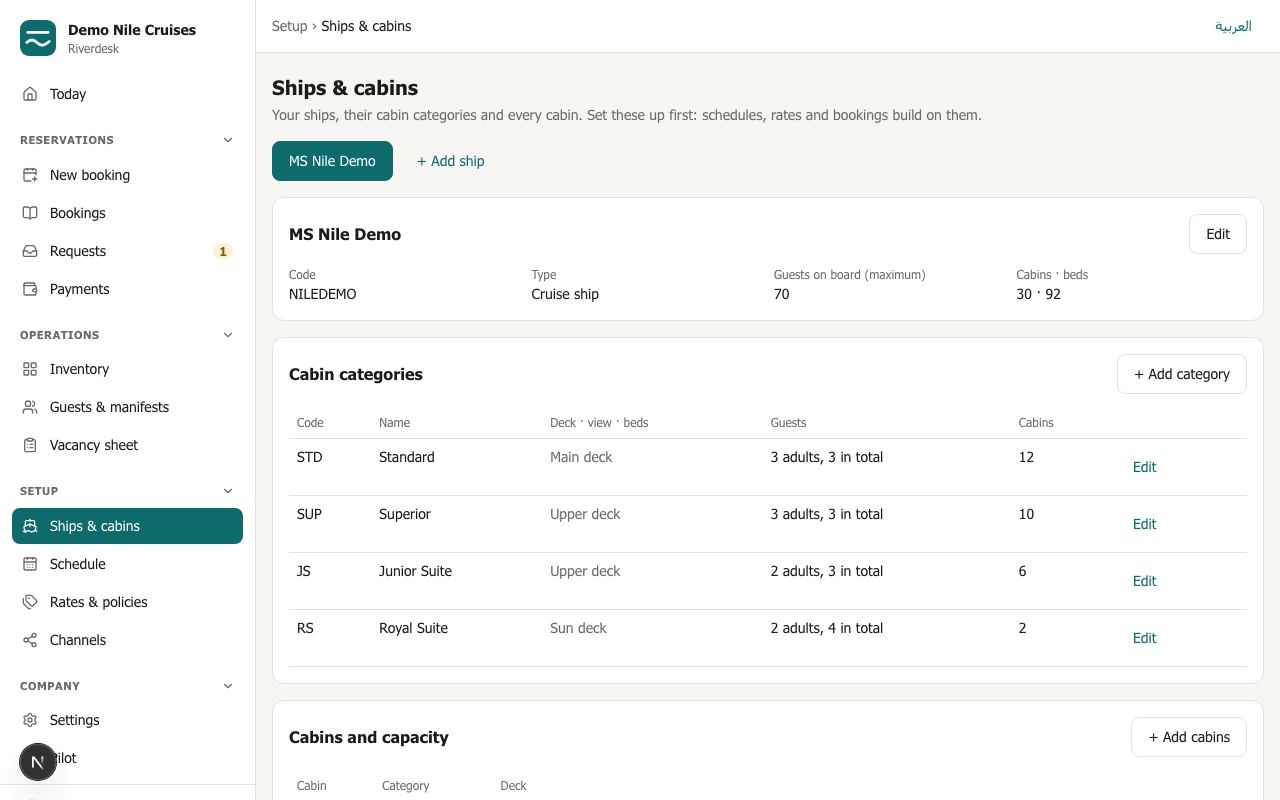
Ships & cabins is where an owner sets up the fleet: each ship, the kinds of cabin it sells (categories) and the cabins themselves. Schedules, rates and bookings all build on it, so a new company starts here. Everyone can open the screen; only owners change ships and categories, and owners and reservations can add or change cabins.
The buttons at the top switch between ships. Under each ship, a blue note says what it still needs before it can be sold.
1. Add a ship
Press + Add ship and fill in:
| Field | Example | Notes |
|---|---|---|
| Ship name | MS Nile Queen | As guests and agencies know it |
| Code | NILEQ | Short, capital letters. Used in reports; cannot change |
| Type | Cruise ship | Cruise ship, dahabiya or steam ship |
| Guests on board (maximum) | 120 | The licensed limit |
Edit changes the name, type and guest limit later. The code stays.
2. Add its cabin categories
A category is a kind of cabin sold at one price, such as Standard, Deluxe or Suite. Press + Add category:
- Name in English and Arabic: what guests see on vouchers.
- Code: short, such as
STDorSUITE. Cannot change later. - Adults (maximum) and guests in total (maximum): for example 2 adults and 3 guests in total means two adults and one child.
- Deck, view, beds (optional): pick from the usual ones (Main deck, River view, Twin beds…) or choose Other… and type your own. Shown to staff and agencies, in their language.
- Extra bed possible, and the order in which categories are listed.
You can lower a guest limit only if no booking still to sail has more guests than the new limit. Riverdesk tells you how many bookings to amend first.
3. Add the cabins
Press + Add cabins, choose the category, and type the numbers. One field takes many cabins at once:
101-120adds cabins 101 to 120;101-110, 201, 202mixes ranges and single numbers;A01-A08keeps the letter and the leading zero.
Riverdesk shows how many cabins will be added before you confirm. Add the deck, tick Wheelchair accessible where it applies, and give a reason such as "Initial setup". If one of the numbers is already on the ship, nothing is added and the numbers are listed, so you can fix them.
From departures on matters once the ship has departures: the cabins count on every departure from that date. For a new ship, leave today's date.
In the list, Change category and Remove from service work from a date, as on Inventory. A change that would leave too few cabins for existing bookings is refused.
What comes next
When the ship has categories and cabins, the note points to the next step: the route and sailing dates on Schedule, then Rates.