Invoices and credit notes
Proformas, invoices and credit notes — who is billed, issuing with an exchange rate, PDFs in Arabic and English, and the company's finance settings.
Invoices (under Reservations) lists proformas, invoices and credit notes, newest first. Filter by type, status, or Overdue only. Owners and finance issue invoices and credit notes; reservations can prepare proformas.
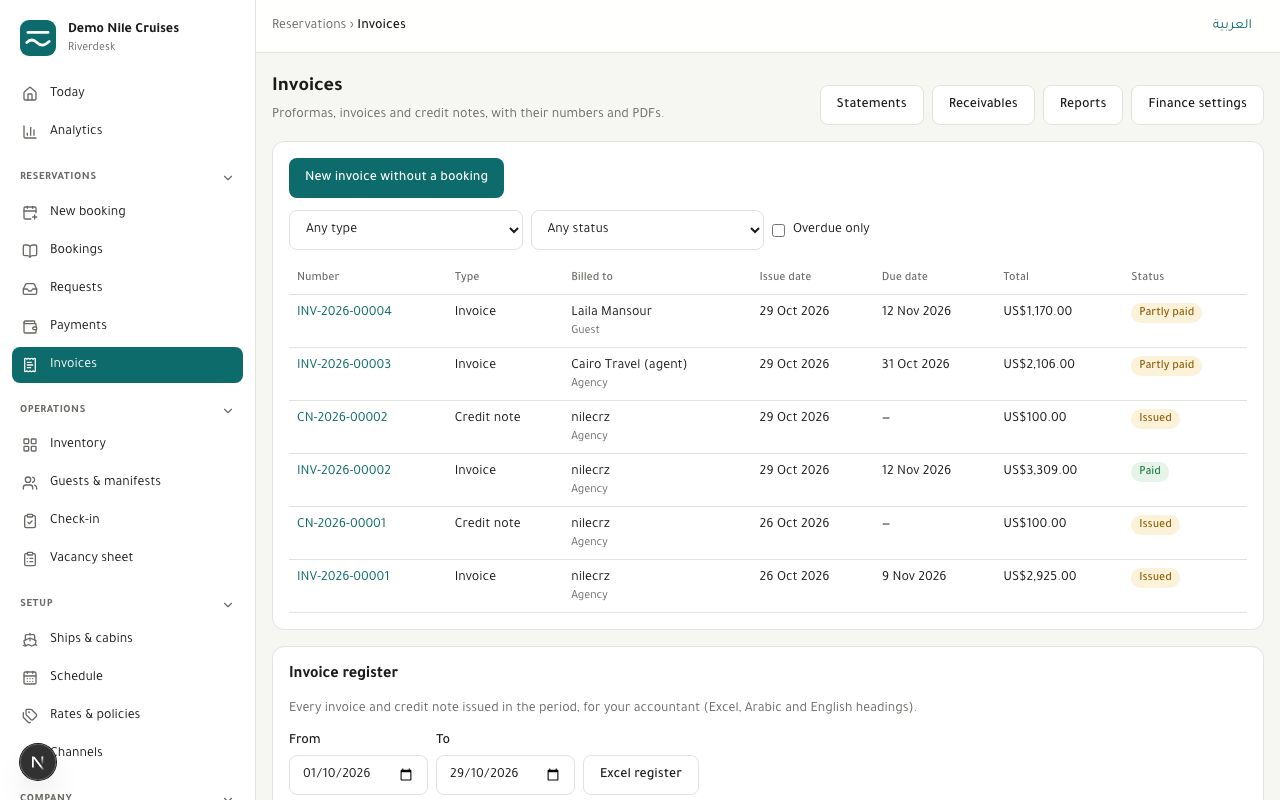
Who is billed
- Agencies on credit, and platforms that collect from the guest (such as nilecrz) are billed for their bookings. One agency or platform has one billing party; several bookings can go on one invoice.
- Direct guests, and guests of an agency who pay the ship themselves, are billed in their own name, from the lead guest.
Edit a party's legal name, address and tax registration number from any of its invoices (Billed to → Edit). An issued invoice keeps the details it was issued with.
From a booking to an invoice
On a booking, Proforma prepares a «فاتورة مبدئية» with no number (useful before the booking is confirmed), and Invoice prepares a draft invoice. Lines come from the booking's price as it was confirmed — one line per cabin, plus amendment fees, and for agencies on commission the gross price with the commission deducted as its own line. A cancelled booking is invoiced for its penalty and fees only.
A draft can be edited: its language, due date, note and extra lines (a transfer, a supplement). A proforma or draft can also be deleted.
Issuing
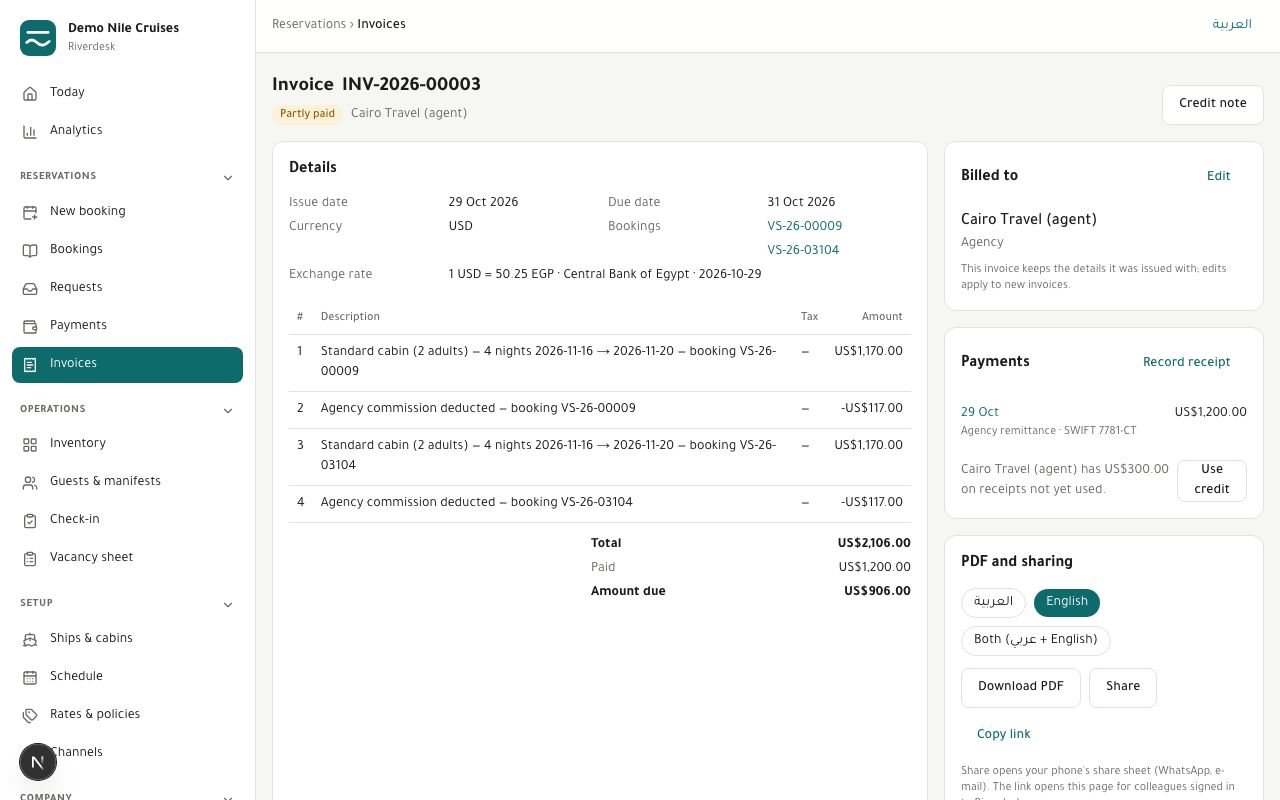
Issue gives the invoice its number (INV-2026-00042), today's date and its due date (the agency's credit terms, or the company's default). When the invoice is not in the company's base currency (EGP unless changed), type the exchange rate, its source and date: it is printed on the invoice with the total in EGP.
An issued invoice never changes — not even by the owner. Any deposit or payment the booking already had is applied to it straight away, and the invoice shows Partly paid or Paid.
Credit notes
Credit note corrects an issued invoice: the whole of it, or chosen lines and amounts, with a reason. It gets its own number (CN-2026-00007) and the invoice's rate. A fully credited invoice becomes Cancelled, and the booking can then be invoiced again. If the invoice was already paid beyond what it still bills, the extra comes off it and becomes the party's credit (see Receipts and credit).
PDF and sharing
Choose العربية, English or Both, then Download PDF or Share. On a phone, Share opens the share sheet with the PDF itself (WhatsApp, e-mail); on a computer it downloads. Copy link copies the invoice's page, for colleagues who are signed in. Drafts print with a "Draft — not issued" band.
Invoice register on the Invoices page is an Excel file of every invoice and credit note issued in a period, for the accountant.
Finance settings
Owners and finance set, under Invoices → Finance settings: the company's legal name in Arabic and English, address, tax and commercial registration numbers, bank details, the note printed on every invoice, numbering (prefix, first number, digits — locked once used), currencies, default payment terms, taxes (none by default; inclusive or added on top) and account codes for the accountant's journal (see Statements and reports).